Payday arrives, rent and utilities clear automatically, and the balance looks healthy enough to relax. Then the middle of the month comes around, a grocery run and an unexpected bill land, and you're left asking where the money went. The problem often isn't that you failed to track every purchase. It's that the money left unassigned before you spent it.
A zero-based budget gives each available dollar a purpose, including bills, groceries, savings, debt payments, and spending you've chosen for yourself. It doesn't mean emptying your bank account. It means making a plan for the money you have, then updating that plan as cash and transactions move.
Table of Contents
- Why Most Budgets Fail Before You Spend Anything
- Building Your First Budget in the App
- Importing Transactions and Writing Your First Automation
- Handling Irregular Income Without Doubling Up
- Coordinating Two Paychecks Without Conflict
- Tracking Results With a Weekly Reconciliation
- Your First 30 Days of Giving Every Dollar a Job
Why Most Budgets Fail Before You Spend Anything
A spending log can tell you that money went to groceries, subscriptions, and takeout. It can't tell you whether those purchases fit the priorities you chose. That distinction matters: tracking looks backward, while a working budget assigns money before it leaves your account.
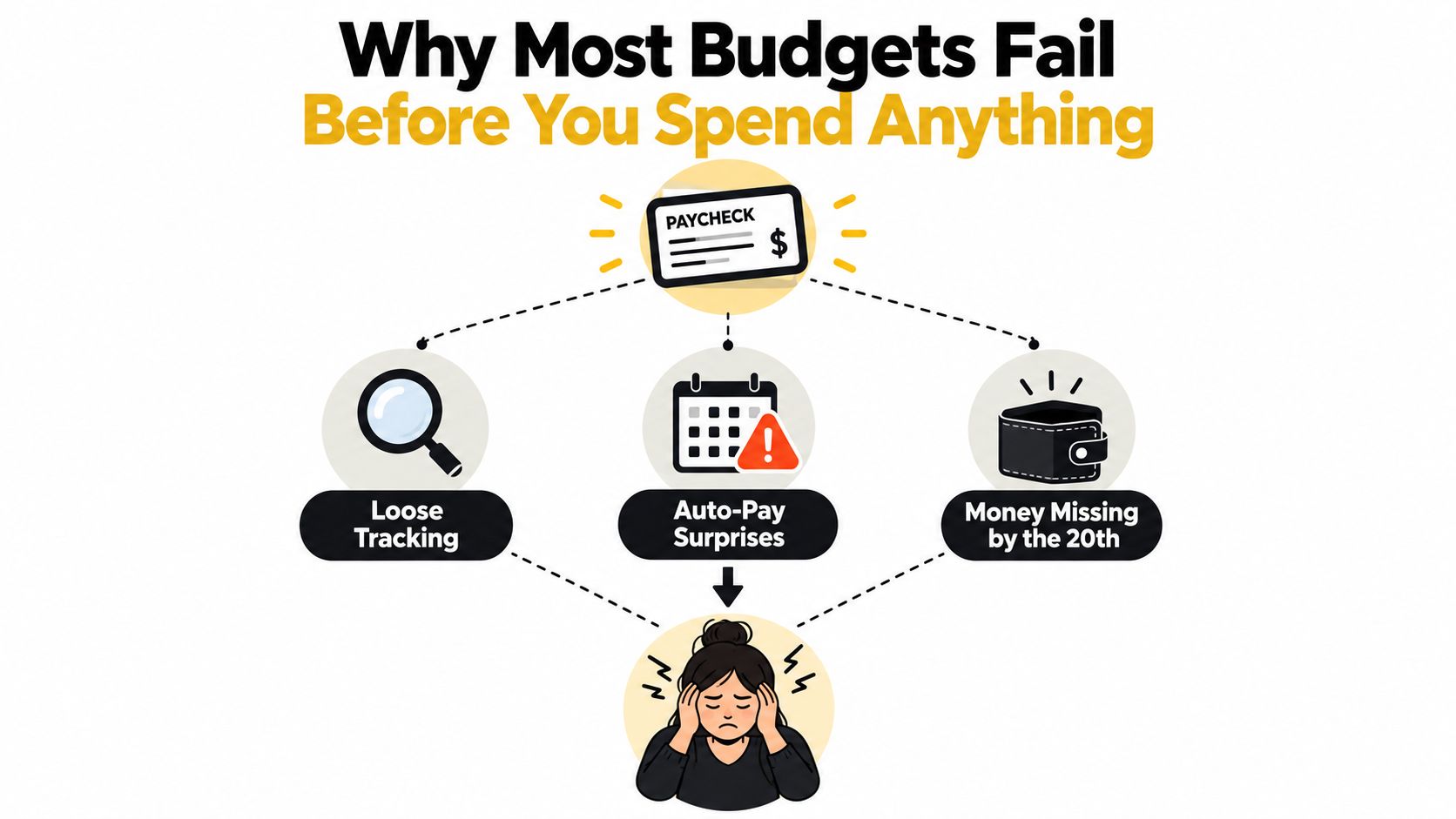
Loose tracking makes a budget feel informative but not useful. You see that a subscription renewed, yet you haven't decided whether it belongs in the plan or what you'd reduce to cover it. Auto-pay adds another layer: recurring bills can clear without a fresh decision, while flexible spending competes for whatever remains. By the time you notice the squeeze, you're reacting to transactions instead of choosing what the next dollar should do.
That's why the practical question changes from “What did I spend?” to “What job does this dollar need to do next?” You might assign income to rent, groceries, an upcoming annual bill, debt repayment, and a modest personal spending category. If a bill comes in higher than expected, you can move money from a less urgent category and record the change, rather than pretending the original plan is still accurate.
The point isn't to eliminate spontaneity. It's to decide where you're willing to be flexible before a surprise forces the choice for you. For a helpful look at the budgeting basics in a business context, see this budgeting guide for practice owners. The same core discipline applies at home: give planned spending a purpose instead of relying on whatever's left.
Federal Reserve survey data show a notable association between positive month-end cash flow and emergency savings: 85% of adults who said they always had money left over at the end of the month had three months of emergency savings, compared with 13% of those who said they never did (Federal Reserve household savings data). That doesn't prove budgeting causes savings. It does show why a deliberate cash-flow routine can matter for financial resilience.
Building Your First Budget in the App
Start with the money you can plan for, then give it clear destinations. If your budgeting app opens with a demo budget, treat it as scaffolding, not a set of rules. Rename the default buckets to match your real bills and priorities: rent, electricity, groceries, subscriptions, annual expenses, debt, savings, and personal spending.
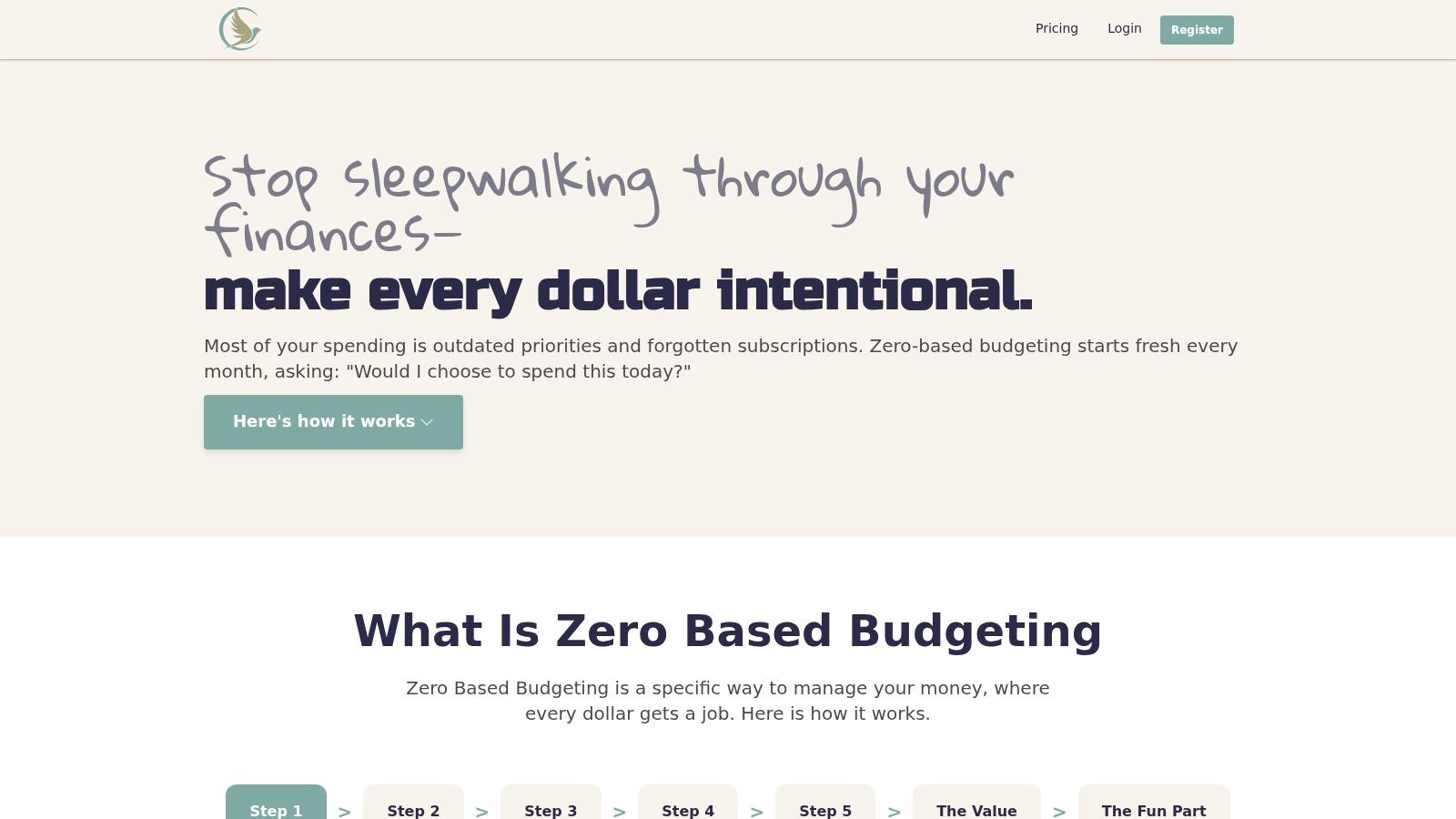
Set up categories that reflect real life
Give each category a name you'll recognize when a transaction appears. Keep the list specific enough to help you make decisions, but not so detailed that maintaining it becomes a chore. For example, separate rent from utilities because their amounts and due dates may differ. Combine small streaming charges under subscriptions if individual services don't need separate limits.
Next, enter income using amounts you can reasonably plan around. With steady pay, use your expected take-home pay. With variable pay, don't treat a hoped-for invoice or commission as cash already available. A temporary “income uncertainty” bucket can hold received money until you've checked upcoming obligations.
Then assign money to categories until available to budget reaches zero. Zero is the result of allocating the plan, not spending your account balance down to nothing. If the total doesn't balance, check for an omitted bill, revise a category, or assign the remainder to a savings goal or buffer.
| Bucket | Example Amount | Purpose |
|---|---|---|
| Rent | $1,200 | Housing obligation |
| Groceries | $350 | Planned food spending |
| Electricity | $90 | Variable household bill |
| Annual bills | $80 | Set aside for irregular expenses |
| Savings goal | $150 | Progress toward a chosen target |
| Personal spending | $100 | Flexible spending with a clear limit |
These are illustrative amounts, not recommended targets. Use your actual income and expenses, and adjust the categories when the facts change. If you're comparing tools before choosing one, this overview of top 10 budgeting app comparisons can help you consider different approaches.
If your app offers a protected master template, keep a clean copy of your working plan before editing it. A template can make it easier to restart without accidentally overwriting the structure you rely on. For privacy-conscious switchers from services such as Mint or YNAB, also inspect the app's bank-link permissions, encryption and data deletion options before connecting accounts. Those details are part of deciding how you want your financial information handled.
Importing Transactions and Writing Your First Automation
A transaction feed turns a zero-based budget into a rolling cash-flow control system. Connect an account through the app's bank-link flow, then review the permissions before approving access. Read-only access, when available, lets the app display transactions without permission to move money.
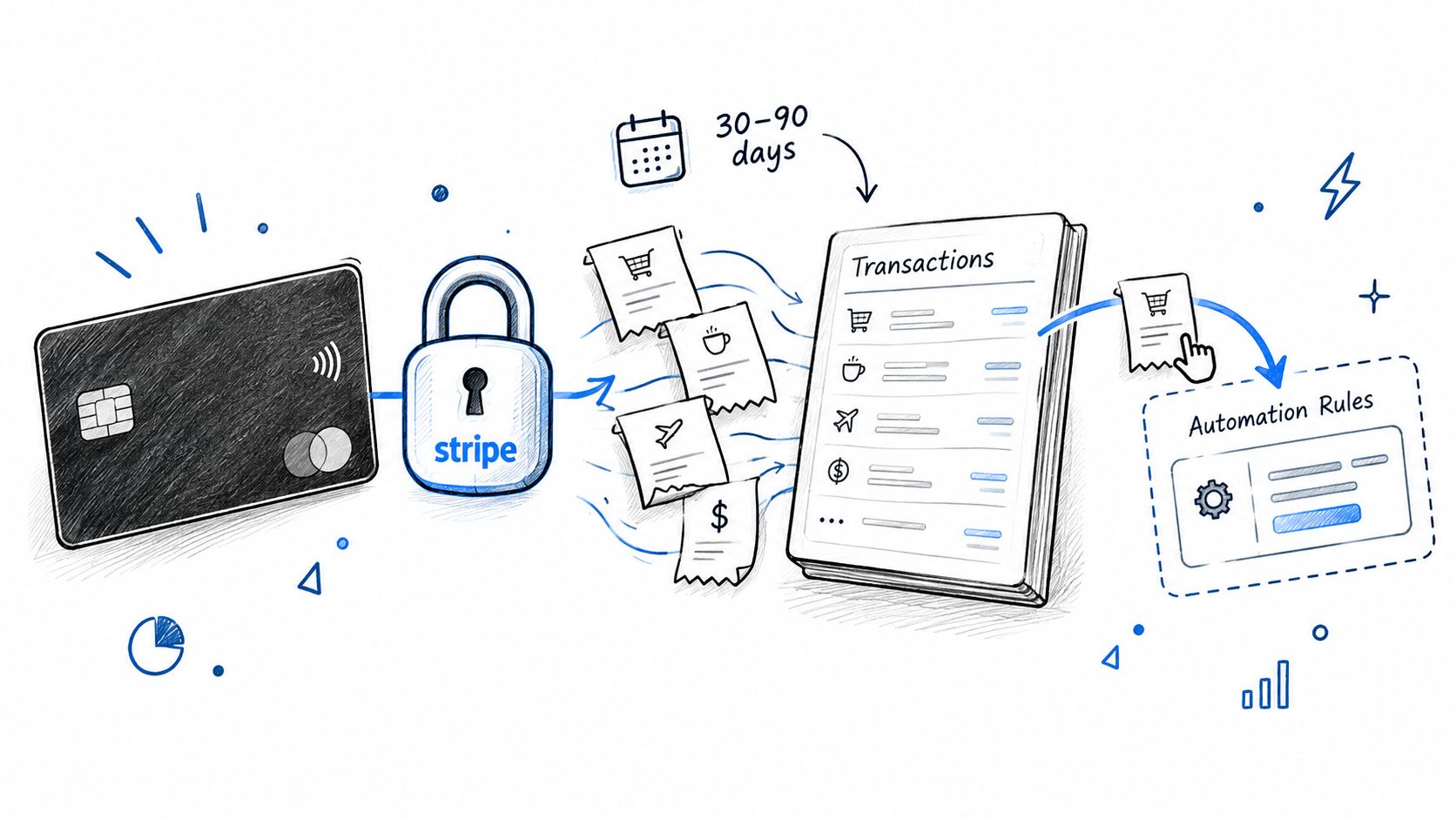
Import a recent set of transactions and review them one by one. Accept a suggested category only when it fits: a supermarket purchase may belong under groceries, while a recurring streaming charge likely belongs under subscriptions. Check unfamiliar merchants before assigning a category. A wrong label can make the balance in that category misleading.
Keep automation visible and editable
Start with one rule that matches a decision you already make: “If the merchant name matches my streaming service, categorize the transaction as Subscriptions.” Check the condition against recent transactions before saving. A broad merchant match can catch a different purchase, so keep the rule narrow enough to verify.
Review the activity log after the rule runs. Check the matched transaction and assigned category, then edit or remove the rule if the result is wrong. A short audit takes less time than correcting several miscategorized purchases later. For more examples, see this guide to setting up and reviewing budget automation rules.
Keep the setup manageable: review the imported transactions, confirm one rule's result, and leave uncertain entries for later verification. Once the categories and automation are checked, view how the plan and transactions appear together:
Handling Irregular Income Without Doubling Up
A monthly plan can mislead you when pay arrives unpredictably. Forecasting a full month's income and assigning it all before it arrives can make the same expected payment appear available for several competing jobs. For freelancers, contractors, commission workers, seasonal earners, and mixed-income households, the safer approach is to plan from cash already received.
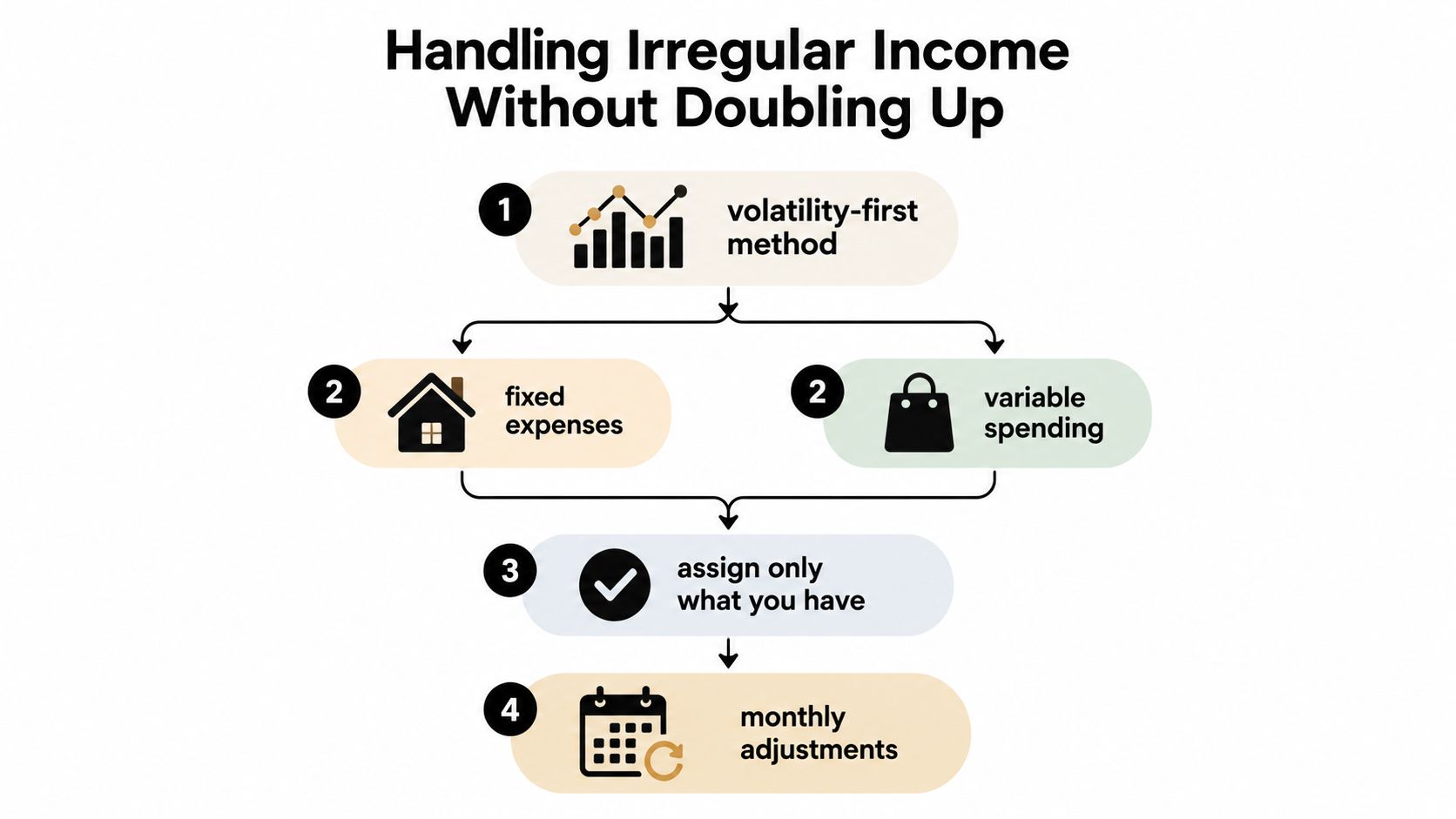
Federal Reserve data show that 30% of U.S. adults experienced income that varied at least occasionally during 2025, and 11% said income variation caused difficulty paying bills (Federal Reserve income and expenses report). That uncertainty changes the budgeting question. Instead of asking how to divide a full month's projected earnings, ask what the available cash must cover before the next likely inflow.
Allocate by due date and consequence
Start with obligations that are both essential and time-sensitive. Rank bills by when they're due and what happens if payment is late. Reserve funds for housing, utilities, food, transportation, and other essentials, then account for annual or irregular bills and maintain an operating buffer that suits your cash-flow pattern.
When a client payment arrives, check unpaid essentials first. Assign the remaining cash incrementally to the next priorities, such as debt repayment or a specific savings goal. Don't allocate an expected payment twice, and don't treat a delayed invoice as money you can safely spend today.
“Fund next” rules can make this easier: identify the next unpaid obligation, then direct available cash there before assigning money to discretionary categories. If a forecast goes negative, review the due dates and reassign funds early. Record each change so you can distinguish a real change in spending priorities from a shortfall caused by payment timing.
Practical rule: Visibility helps you notice a problem. It doesn't, by itself, change what you do with the next deposit.
To see a fuller version of this approach, follow this guide to budgeting with irregular income. Useful checks include whether bills were funded before their due dates, how often the plan projected a negative balance, how many days of essential expenses the buffer could cover, and whether new income was assigned promptly. Treat these as operating signals, not a grade.
Coordinating Two Paychecks Without Conflict
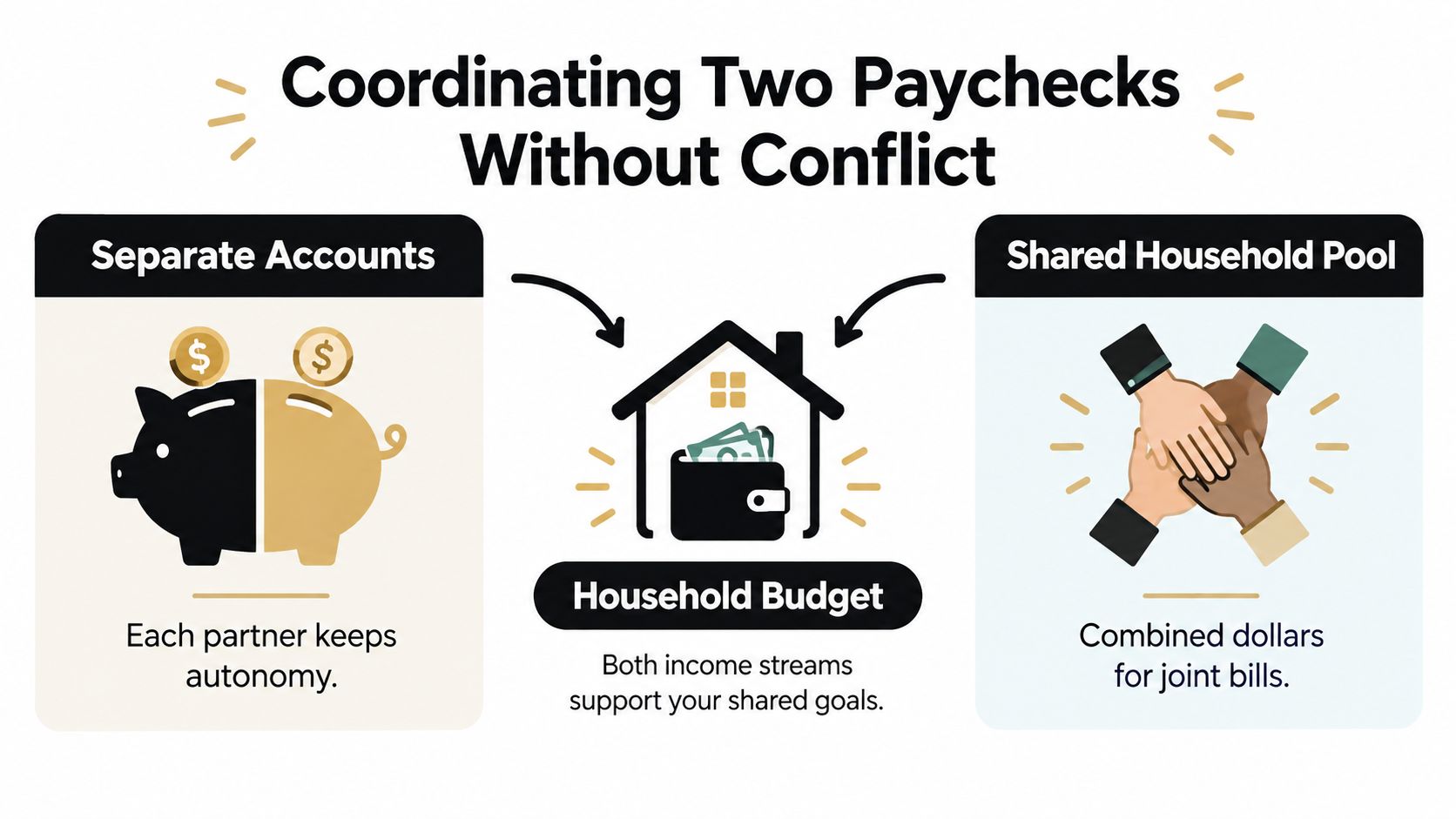
Giving every dollar a job doesn't mean every purchase needs joint approval. Couples need a clear agreement about which money is shared, which spending remains personal, and when a decision deserves a conversation. Combining all accounts may suit some households, but it isn't the only way to coordinate bills and goals.
Agree on the rules before assigning amounts
A workable household plan separates four things: shared commitments, individual discretionary allowances, shared goals, and a purchase-consultation threshold. The threshold is an agreed amount above which both partners talk before spending. Personal allowances give each person room to make ordinary choices without turning the shared budget into surveillance.
That boundary matters. A 2025 survey found that 42% of respondents identified balancing personal spending with shared financial responsibilities as a major challenge; 34% of U.S. adults had hidden a purchase from their partner, and 76% considered prior discussion important for major purchases (Moneywise research on shared finances). Those figures don't prescribe one account setup. They underline why couples should discuss decision-making rules, not only category totals.
Consider a household where one partner earns a salary and the other freelances. They can use a shared ledger for housing, utilities, groceries, and agreed goals, while retaining separate accounts and personal allowances. When freelance income arrives, the couple applies the shared rules to actual cash received instead of promising money that hasn't landed. If incomes differ, decide together whether contributions will be equal, proportional to income, or arranged another way that both partners consider fair.
A shared ledger should show enough to coordinate joint obligations and goals. It doesn't need to turn every personal purchase into a public review. Be explicit about what gets recorded, what stays private, and which decisions require a conversation.
The practical test is simple: can both partners see whether shared bills and goals are funded, while keeping reasonable autonomy over personal spending? If not, adjust the rules before making the categories more detailed.
Tracking Results With a Weekly Reconciliation
A weekly review keeps your zero-based budget responsive as transactions clear and plans change. Choose a regular day, open the transaction list beside your category balances, and check each purchase against the category it belongs to. Then note any bill, deposit, or timing change that affects available cash.
Make one clear adjustment
If a category is over its planned amount, update the plan instead of abandoning it. Decide which category the money should come from, move it deliberately, and record the reallocation. If groceries ran high, for example, you might reduce an unspent flexible category. The trade-off is visible, and every dollar still has an assignment.
Keep the review short enough to repeat. Check whether imported transactions are categorized correctly, whether bills cleared for the expected amounts, and whether your available balance covers what remains before your next paycheck. With irregular income, reconcile against cash received, not income you expect. For couples, record changes to shared categories where both partners can see them, while respecting the privacy rules you agreed on.
Track a few useful measures: Did you complete the review? How much time did transaction cleanup take? Did you resolve overspending with a recorded reallocation? For orderly recordkeeping, see the EndureGo Tax ledger maintenance guide.
Compare planned amounts with actual spending using this guide to actual versus budget tracking. The goal is to spot a change, decide how to handle it, and keep your cash-flow plan current.
Your First 30 Days of Giving Every Dollar a Job
A paycheck lands on Friday, rent is due Monday, and a car repair may be coming next month. Your budget needs to track what cash is available now, then adjust as bills clear and income arrives. Keep the first plan small enough to finish in one sitting. An unfinished setup is easy to abandon.
- Days 1 to 3: Rename the demo buckets, enter your income sources, and assign available cash to bills, everyday spending, and a goal. Keep a clean template if the app supports one.
- Days 4 to 7: Import transactions, review suggested categories, and write a simple automation rule. Check its log to see what it changed.
- Week 2: Review the plan against the cash currently available. If a bill costs more than expected, choose which category to reduce and record the change.
- Week 3: Add sinking funds for irregular bills. If you share finances, agree on household allowances and a purchase threshold that calls for a conversation.
- Week 4: Check whether the routine fits your actual cash flow. Did bills get funded before their due dates? Did your buffer cover a timing gap? Is the weekly update short enough to keep doing?
For irregular income, give newly received cash a temporary job, such as “income uncertainty,” until you know which upcoming essentials it needs to cover. Assign it to discretionary spending only after those commitments are accounted for. With steady paychecks, assign each deposit as it arrives rather than relying on money that has not yet reached your account.
Couples can agree on which categories are shared and which remain personal, then record changes to shared funds where both partners can see them. If you're switching from Mint or YNAB and want to limit what you connect, start with the accounts and transaction access you're comfortable sharing. You can build the plan around cash you enter yourself.
Set a weekly review time and put it on your calendar. The plan is a rolling view of available cash, not a finished monthly sheet: update it when income arrives, bills change, or a decision shifts money between categories.
Peaceful Mindful Pocket LLC offers a zero-based budgeting app for setting up buckets, assigning income, and reviewing transactions against your plan, with privacy-focused account connections and user-written automation rules. For a guided way to put these habits into practice, visit Peaceful Mindful Pocket LLC.