You open your budgeting app and see the problem immediately. Your plan says the month is under control, but the transactions tell a different story: a streaming charge landed in the wrong category, a grocery purchase is still uncategorized, and a shared subscription came out of the account you use for everyday spending. You know where the money should go. The difficult part is keeping the plan aligned with what happens.
Automation rules create that connection. They turn a decision you've already made into a repeatable instruction, so predictable transactions can move toward the right category or envelope without demanding your attention every time. You still decide what your money is for. The rule helps your budget carry out that decision.
Table of Contents
- Why Automation Rules Matter in Everyday Budgeting
- What Automation Rules Actually Do
- How Automation Rules Strengthen Zero-Based Budgeting
- Writing and Running Rules Inside a Budgeting App
- Five Copy-Ready Automation Rule Examples
- Best Practices for Setting Up Rules That Stick
- Troubleshooting Rules That Do Not Fire
- Building a Budget That Runs Itself
Why Automation Rules Matter in Everyday Budgeting
Maya gives every dollar a job at the start of the month. Rent, groceries, fuel, savings, and subscriptions each have their own envelope. On payday, the plan looks tidy. A few days later, though, a recurring entertainment charge appears under “uncategorized,” a shared family service is mixed with personal spending, and a grocery run sits in the wrong bucket because the bank description is unfamiliar.
None of these transactions is difficult to understand. Maya knows what they are. The problem is repetition. If she manually fixes every familiar charge, the budget depends on her remembering the same decisions again and again. Miss one transaction, and the picture of available money becomes less reliable.
An automation rule acts like a small assistant who follows your written instructions. You might tell the app, “When this merchant appears, assign the transaction to Subscriptions.” The next matching transaction follows that path, while unusual spending can remain available for review.
A useful distinction: Automation rules don't create your budget. They enforce the choices you've already made.
This matters especially when several people share services. A guide to automating shared subscriptions can help you think through recurring charges, ownership, and the handoff between household members. In your budget, the same principle applies: define the expected pattern, then give the transaction a clear destination.
Zero-based budgeting works best when the plan and the ledger agree. Rules reduce the distance between those two views. They won't decide whether a purchase was wise, and they won't replace a monthly budget meeting. They make ordinary, recognizable transactions easier to place correctly, leaving your attention for exceptions and larger choices.
What Automation Rules Actually Do
An automation rule follows an if-this-then-that pattern. The app watches for an event, checks whether the details meet your requirements, and performs a defined action when they do.
A budgeting rule has three parts:
- Trigger: The event that starts the check, such as a new bank transaction.
- Condition: The detail that must match, such as a merchant name, amount range, or transaction status.
- Action: The result, such as assigning an envelope, adding a note, or flagging the transaction.
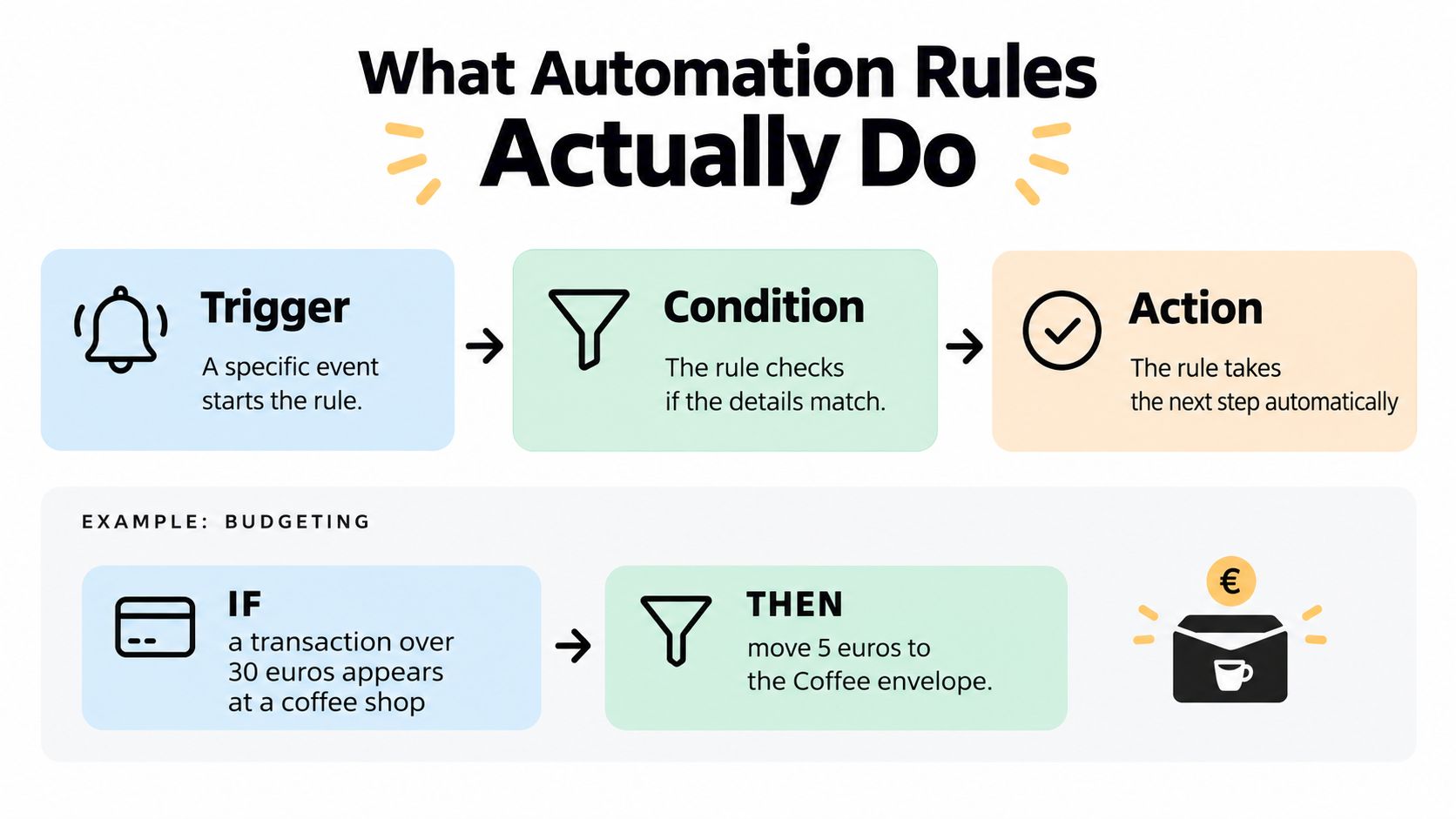
Suppose you want coffee spending to stay visible. The instruction might read:
If a new transaction appears, and the amount is above 30 euros and the merchant is a coffee shop, then move it to the Coffee envelope and add a note for review.
The trigger says when the rule should look. The condition prevents it from reacting to every transaction. The action tells the app what to change. Without the condition, a rule could catch purchases you never intended to include. Without the action, the app can identify a match but can't help your budget respond.
This structure is common because deterministic logic produces the same action whenever the same requirements are met. IBM's documentation describes automation rules as a way to apply explicit logic to business processes, which is the same basic idea you can use for personal transactions through a bank-synced budget app.
Start with one decision you make repeatedly. “All Netflix charges belong in Subscriptions” is easier to test than “organize my entertainment spending.” Specific instructions are easier to trust, edit, and troubleshoot.
How Automation Rules Strengthen Zero-Based Budgeting
A zero-based budget gives money a purpose before spending begins. The challenge comes later, when real transactions arrive with inconsistent descriptions, timing, and amounts. Automation rules help preserve the original purpose without forcing you to rebuild the same classification manually.
They reduce repeated categorization
A familiar merchant can follow a familiar path. Once you've confirmed that a recurring charge belongs in Subscriptions, a merchant-based rule can handle future matches. That keeps routine work from crowding out the decisions that require judgment.
The benefit isn't that every transaction becomes automatic. The benefit is that predictable transactions become predictable work. You can spend your review time on unfamiliar merchants, split purchases, refunds, or transactions that affect several envelopes.
They make adjustments easier to see
Suppose your grocery envelope is running low because several purchases were left uncategorized. A rule that catches the relevant merchant pattern can bring those transactions into view, making the gap between your plan and actual spending easier to address. You may still need to move money between envelopes, but you won't be making that decision with missing information.
The logic also supports consistency. If a transaction matches the same conditions next month, the app applies the same action instead of relying on memory or mood. That consistency creates a cleaner record for reviewing habits.
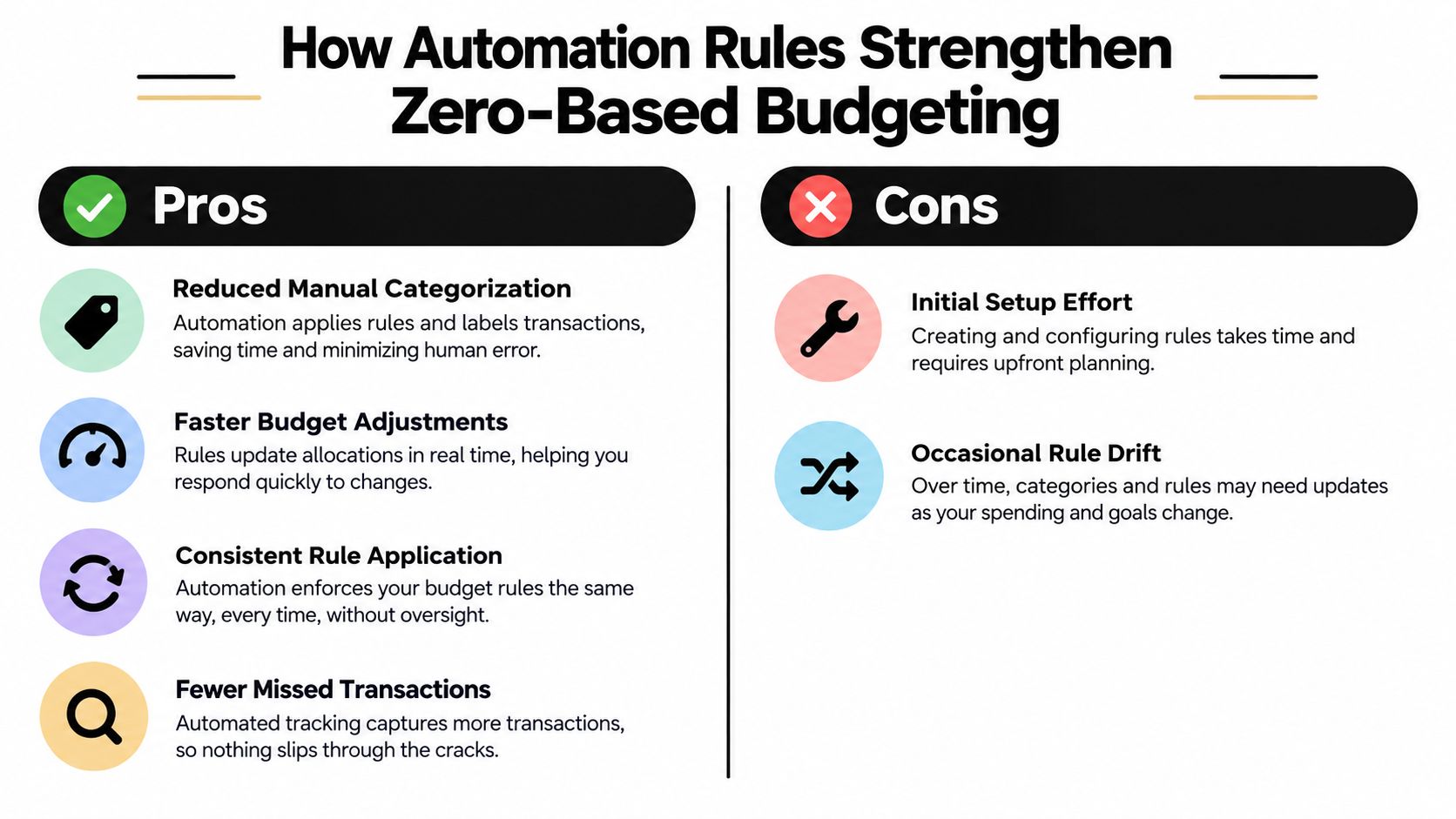
There are trade-offs. Rules take thought to set up, and they can drift when a merchant changes its name, a category disappears, or your household priorities change. A rule that once helped can quietly become inaccurate if nobody checks its results.
The aim isn't to automate every decision. It's to automate the decisions you're comfortable repeating.
A strong setup therefore combines automatic categorization with visible evidence. Execution tracking is a mature feature of automation systems, where platforms can show rule counts and statuses rather than hiding what happened. The same expectation belongs in a personal budget: you should be able to tell which instruction acted on a transaction and whether the result still fits your plan.
Writing and Running Rules Inside a Budgeting App
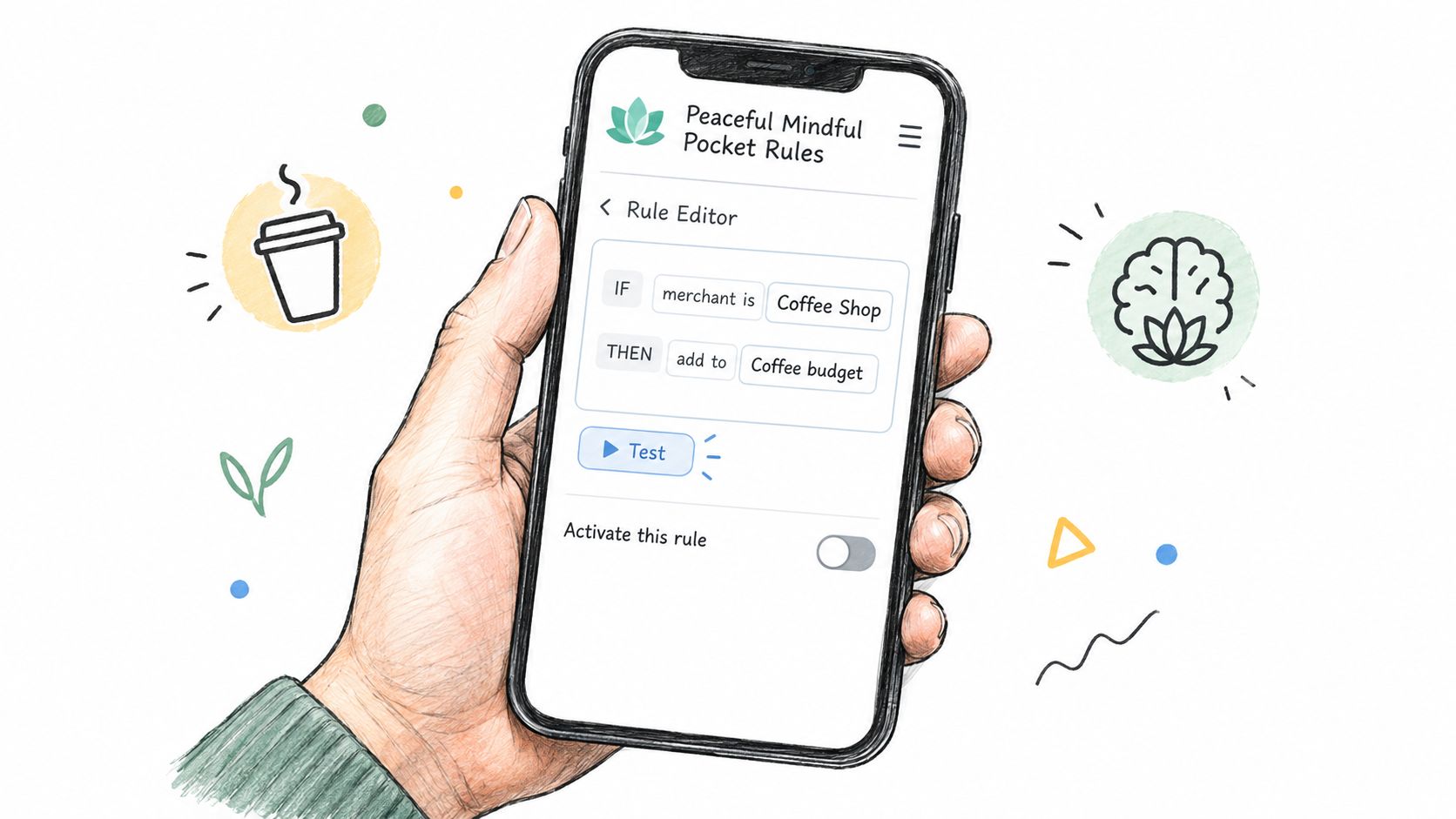
A payday arrives, a grocery charge posts, and your carefully planned envelope balance changes before you remember to update it. Inside Peaceful Mindful Pocket, you can create a rule in the Rules panel to handle that repeated decision. The editor uses three plain questions: what starts the check, what must be true, and what should happen next.
Start with a trigger. Match a merchant name, a word in the transaction description, or an amount range. A merchant trigger can look for “Spotify,” while a description trigger can search for “PAYPAL.” An amount trigger can identify purchases within a range that deserves separate review.
Add a condition when the trigger reaches too far. You might require an empty category or limit the rule to a pending transaction. This extra checkpoint matters because one merchant can cover different purchases, and an automatic action should not replace a choice you already made without a clear reason.
Then select the action. The rule can assign a category, place the transaction in an envelope, or add a note. For example:
- Trigger: Merchant contains “Netflix”
- Condition: Category is empty
- Action: Assign the Subscriptions envelope
Test the rule before activating it. The one-click test replays a past transaction through the logic, so you can check that it catches the intended purchase and leaves a similar one alone.
Peaceful Mindful Pocket keeps user-written rules in readable text and sends a summary email when a rule fires, creating an audit trail without requiring a dashboard visit, as described in its zero-based budgeting software guide. You can then compare the automatic result with your planned amounts and correct the rule if the result does not fit your budget.
Five Copy-Ready Automation Rule Examples
These templates are starting points, not permanent instructions. Bank descriptions vary, and your envelopes may use different names, so test each rule against an old transaction before turning it on.
1. Recurring streaming charges
You want entertainment services separated from flexible spending. Matching recognizable merchant names keeps those charges together even when they arrive on different days.
TRIGGER: merchant contains "Netflix" OR "Spotify" OR "Disney+"
CONDITION: category is empty
ACTION: assign envelope "Subscriptions"
2. Larger grocery purchases
You want full grocery trips routed automatically, but you don't want every small convenience-store purchase treated as groceries. An amount condition gives the rule a boundary.
TRIGGER: merchant contains "Market" OR "Grocery"
CONDITION: amount is above [your chosen threshold]
ACTION: assign envelope "Groceries"
3. Planned paycheck allocation
A paycheck is easier to manage when its intended jobs are visible immediately. Use the percentages that match your own plan and confirm how your app handles a multi-action rule.
TRIGGER: transaction is a paycheck
CONDITION: income source is "Employer"
ACTION: assign planned shares to "Needs", "Wants", and "Savings"
4. Irregular freelance income
Freelance payments may arrive from different clients and shouldn't automatically be treated like a regular salary. Flag them first, then decide how much is available for current spending.
TRIGGER: description contains "freelance" OR merchant matches a client
CONDITION: income source is irregular
ACTION: add note "Review freelance income" and flag for manual review
5. Generic payment descriptions
A bank may show “PAYPAL” while the useful merchant name appears elsewhere in the description. A rename rule can make the transaction easier to recognize later.
TRIGGER: merchant is "PAYPAL"
CONDITION: description contains a merchant detail
ACTION: rename transaction to "PAYPAL, [merchant from description]"
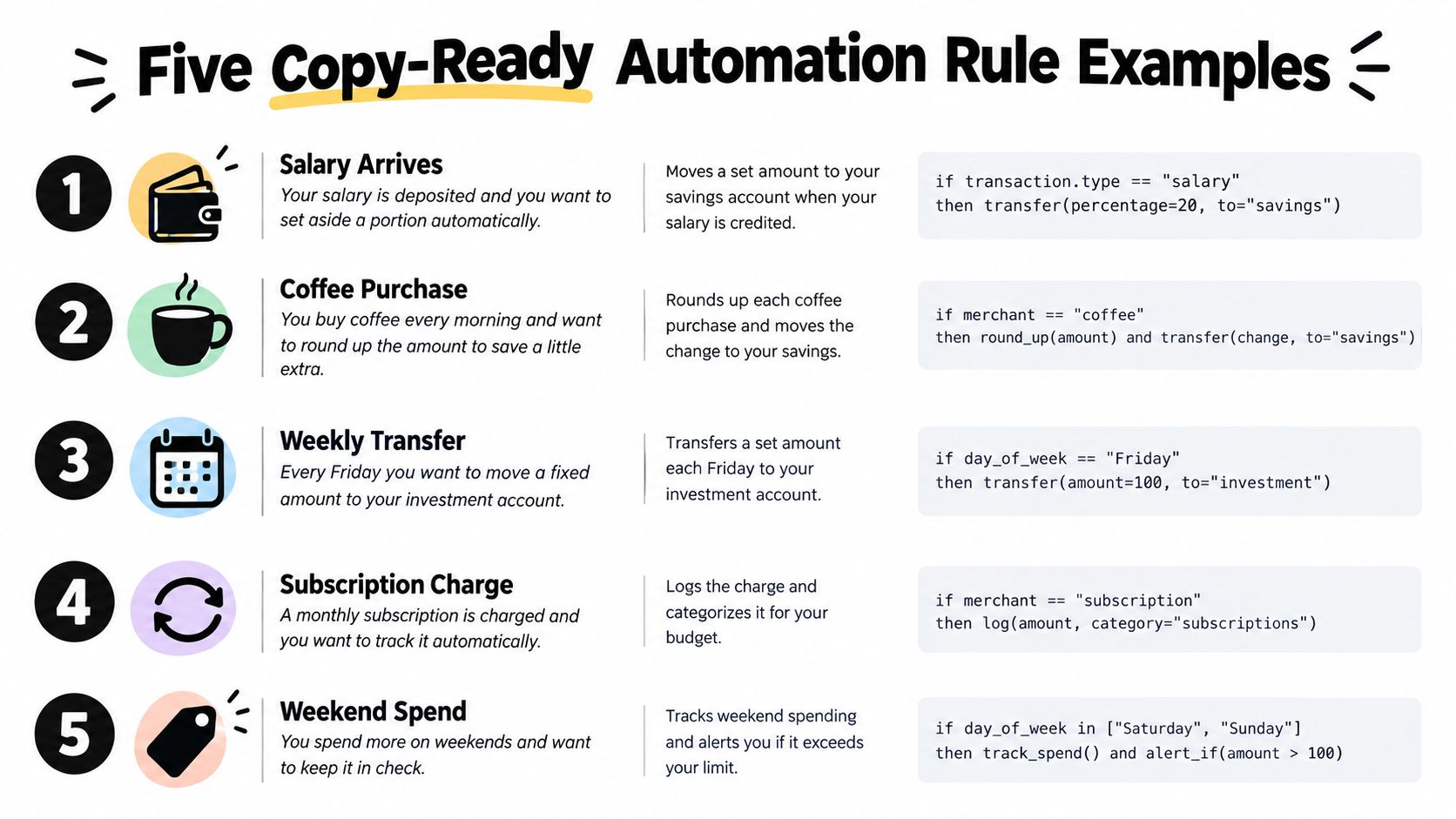
Use one rule for one clear decision whenever possible. A short library is easier to understand than a tangled collection where several instructions can act on the same transaction.
Best Practices for Setting Up Rules That Stick
Start smaller than you think. Create three to five rules in your first week, focusing on transactions you recognize easily and correct repeatedly. Review what happened before adding more. Early restraint makes it easier to identify whether a problem came from a trigger, a condition, an action, or the order in which rules run.
Give each rule a name that explains its purpose at a glance. Names such as “Subscriptions, recurring” or “Groceries, large purchases” sort more clearly than labels like “Rule 1” and “New test.”
Connect every action to an envelope
A category label can describe spending, but zero-based budgeting asks a stronger question: what job did this money have? Prefer actions that assign a transaction to the envelope that funds it, rather than creating a neat label with no connection to your plan.
Review your rule emails on a regular weekly appointment, especially during the first month. Look for:
- Double-fires: Two rules acted on the same transaction.
- Missed matches: A familiar purchase stayed uncategorized.
- Wrong destinations: The rule fired, but the envelope no longer fits.
- Unexpected descriptions: The bank used a new merchant format.
Testing before activation is part of the design, not an optional final touch. An automation system is more trustworthy when you can inspect its evidence, revise its plain-text instruction, and see what changes.
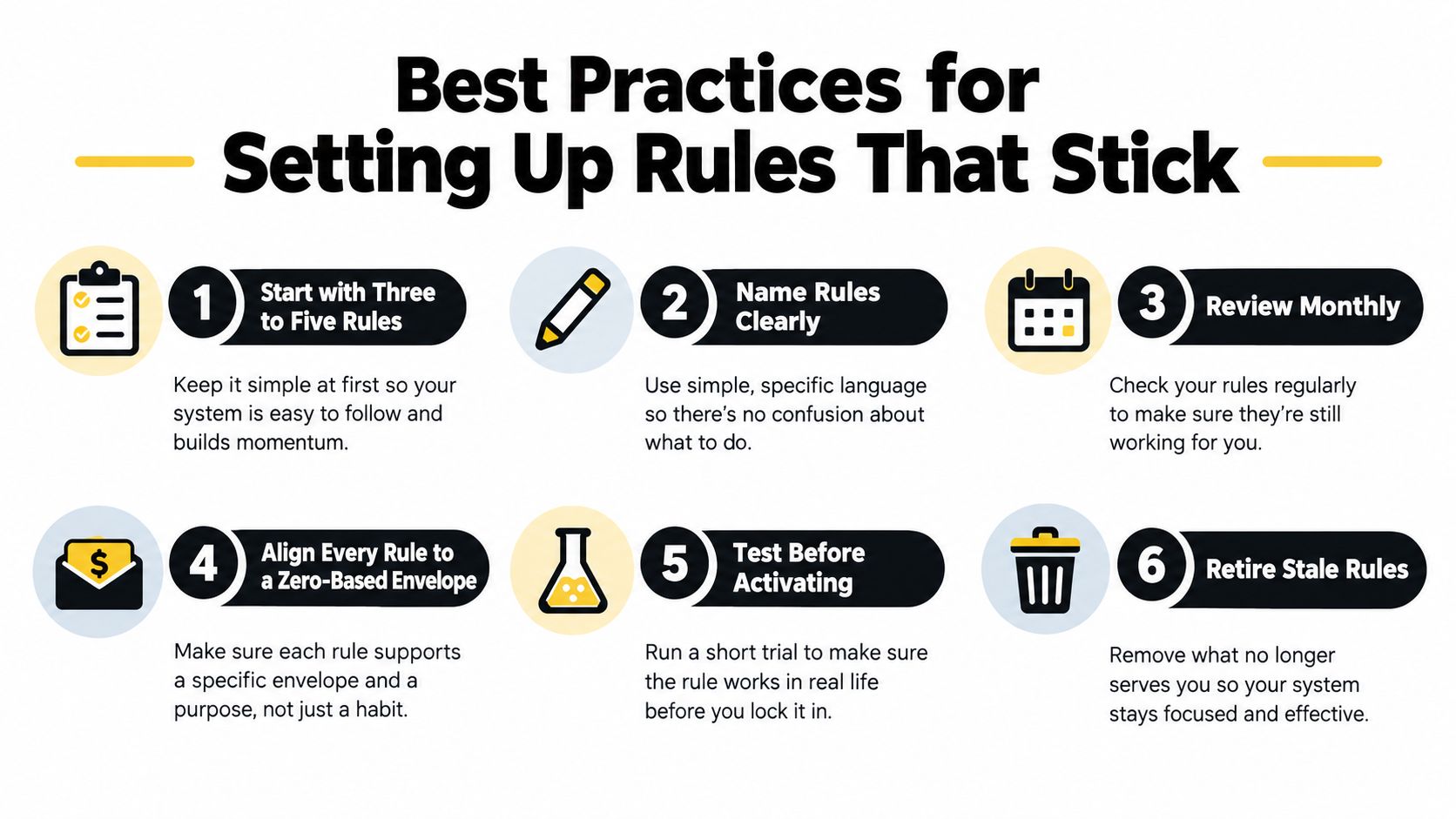
Retire stale rules when income sources, merchants, or envelopes change. A rule library should reflect your current budget, not preserve decisions from a previous season of life.
Troubleshooting Rules That Do Not Fire
A rule that didn't fire hasn't necessarily failed. First, compare the actual transaction with the text the rule expects. Merchant descriptions can differ between purchases, and a familiar brand may appear under a payment processor, a parent company, or a shortened name.
Check the rule in this order:
- Review the merchant text: Look for spelling, abbreviations, and changed descriptions.
- Confirm the destination: Make sure the selected category or envelope still exists in the active budget.
- Inspect the amount filter: Verify that the transaction falls inside the chosen range.
- Check the transaction state: Pending and completed transactions may be handled differently.
- Review priority: If several rules could apply, see which one runs first and whether an earlier action changes the details needed by the next rule.
Subscription rebrands, split transactions, refunds, and generic payment descriptions often create quiet mismatches. A rule may be perfectly logical and still miss the transaction because the bank supplied different data than you expected.
A personal ledger remains useful here because it gives you a place to compare the original transaction, later edits, and the budget effect. The budget ledger guide can help you think of the ledger as an evidence trail rather than just a list of purchases.
Know when to pause automation
Some transactions need context. A one-off medical bill, a gift, or a tax adjustment may resemble a normal purchase but carry a different purpose. Automatically assigning it could make the budget look tidy while hiding a decision you should make yourself.
Use a hybrid workflow instead. Let rules handle stable patterns, and have the email log flag uncertain transactions for a weekly review. Benchmarking work on AI workflows also treats rule adherence, success, cost, and failures as measurable factors, which reinforces a practical lesson: constraints help only when the input and the exception path are understood. AutomationBench background offers that broader technical context.
Building a Budget That Runs Itself
A zero-based budget doesn't become sustainable because you stop paying attention. It becomes sustainable when your written intentions continue to guide daily transactions without requiring you to repeat every small decision.
A well-tuned rule library handles the predictable parts. A recurring subscription goes to its planned envelope. A recognizable grocery purchase becomes visible in the right place. An unusual freelance payment stays flagged until you decide how it should serve the month.
The steady state is simple. You review the weekly email, correct a small number of exceptions, and adjust envelopes when the plan changes. You aren't surrendering control. You're moving control from repeated manual sorting into instructions you can read, test, and edit.
Rules also need maintenance. Dirty or incomplete transaction data can produce the wrong result at scale, so keep a human fallback for purchases that don't fit a stable pattern. The wider automation field has moved toward hybrid systems, where deterministic rules handle clear steps and AI or people handle unstructured cases and exceptions. Guidance on hybrid workflow automation provides useful context for that distinction.
The payoff is mental space. Once routine spending follows the jobs you assigned, you can focus on savings targets, debt payoff, irregular income, and the household conversations that a budget can't automate.
Peaceful Mindful Pocket LLC offers a zero-based budgeting app with bank-connected transactions, user-written automation rules, transparent email logs, and a time-stamped budget ledger. Visit Peaceful Mindful Pocket LLC to try a budgeting system that turns your spending intentions into readable, reviewable instructions.